
22 Apr 2026

PPS Air Support & Leon Software


Total Aviation Command through Leon Software Ops & PPS Flight Planning Integration

Mastering the Mission

leon software
airsupport

Overview

The Power of Synergy

The Seamless Integration of Leon Software and PPS Flight Planning® from AIR SUPPORT.

Leon Software, the industry leader in flight operations management, now integrates flawlessly with PPS Flight Planning.

In the high-stakes world of aviation, data silos are the enemy of efficiency. Leon Software, the industry leader in flight operations management, now integrates flawlessly with PPS Flight Planning by AIR SUPPORT.

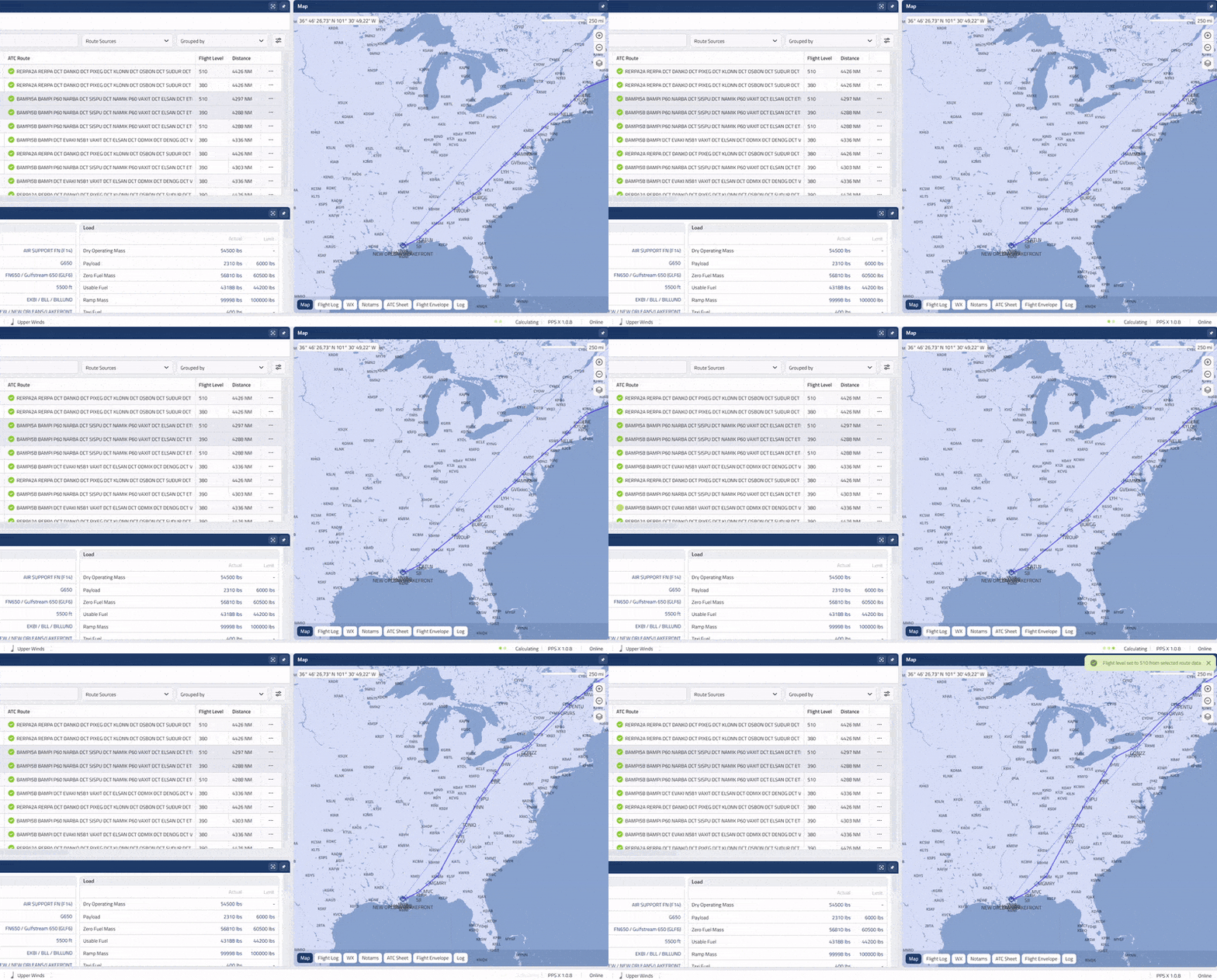
This powerful API-based connection transforms your workflow by allowing Leon’s robust scheduling and crew management data to flow directly into PPS’s world-class flight planning engine. The result? A unified ecosystem where dispatchers and pilots work from a single source of truth.


Key Integration Features

Automated Schedule Export

Automated Schedule Export: Transfer flight schedules from Leon to PPS instantly, including aircraft registration, MTOW, and configuration.

Bidirectional Data Sync

Bidirectional Data Synch: Changes made in Leon's OPS module reflect in PPS. Then, Leon retrieves the finalized flight plans back from PPS.

Crew & Payload Integration

Crew & Payload Integration: Automatically include crew complements and estimated payload data in your PPS flight plan calculations.

Real-Time Status Updates

Real-Time Status Updates: Track the progress of flight planning within the Leon interface, from "Draft" to "Filed."

Document Centralization

Document Centralization: PPS-generated Operational Flight Plans (OFPs) and weather briefs are automatically attached to the flight in Leon for easy crew access.

Why choose the PPS integration?

Advantages for Leon Users

Eliminate Manual Data Entry

Stop toggling between tabs. By automating the transfer of flight details, your dispatch team saves up to 20 minutes of manual entry per flight leg, allowing them to focus on safety and optimization rather than administrative tasks.

Enhanced Data Integrity & Safety

Manual entry is prone to human error. This integration ensures that the tail number, weights, and routes used in PPS perfectly match your schedule in Leon, significantly reducing the risk of filing errors.

Optimized Performance & Fuel Savings

Leverage PPS’s advanced performance algorithms using the latest data from Leon. By planning with precise weights and real-time weather data, Leon users can achieve significant fuel burn reductions across their fleet.

Streamlined Crew Communication

Through the integration, pilots can access their PPS-generated flight briefings directly via the Leon App. This ensures your crew always has the most current flight plan, weather updates, and NOTAMs at their fingertips.

The Workflow

How It Work

Schedule in Leon

Your ops team creates or updates a flight in the Leon OPS module.

Sync to PPS

With one click (or automatically), the flight data is sent to PPS.

Plan in PPS

The dispatcher optimizes the route and fuel in PPS.

Finalize & Close

Once the flight is filed, PPS sends the OFP and flight logs back to Leon, updating the flight status for the entire organization.

high-speed API architecture

Technical Excellence & Reliability

The integration utilizes a secure, high-speed API architecture designed for 99.9% uptime. Whether you are managing a single light jet or a global fleet of wide-body aircraft, the Leon-PPS link scales to your operational volume without lag.

PPS Air Support & Leon Software

FAQ

Leon-PPS integration
Is the Leon-PPS integration difficult to set up?

No. The integration is "plug-and-play" via API keys. Our support teams at both Leon and Air Support guide you through the initial mapping of aircraft and fields.

What data is synchronized?

Key data points include flight numbers, DEP/DEST airports, times (STD/STA), aircraft types, registration, crew lists, and payload estimates.

Does this work with the Leon Mobile App?

Yes. PPS-generated documents (OFPs) are synced to Leon and can be viewed by crew members on the Leon mobile application or crew portal.

How does the Leon Software and PPS integration work?

The integration is powered by a secure API that bridges Leon’s flight management system with the PPS Flight Planning® from AIR SUPPORT. Once activated, flight schedules created in Leon are automatically transferred to PPS.

What specific data is synchronized between the two systems?

The integration focuses on eliminating duplicate entry by syncing:

  • Schedule Data: ADEP, ADES, STD, STA, and Flight Numbers.
  • Aircraft Details: Registration and MTOW configurations.
  • Payload Information: Number of passengers, gender (for weight/balance), and estimated cargo.
  • Crew Lists: Crew complements assigned in Leon are transferred to PPS for the flight briefing.
Does the integration support bidirectional data flow?

Yes. While Leon serves as the primary source for scheduling, finalized Operational Flight Plans (OFPs) and weather briefings generated in PPS can be linked back to the flight in Leon. This ensures that the OPS team and crew have access to the latest navigational documents directly within the Leon environment.

How do pilots access PPS briefings via Leon?

Pilots can access their PPS-generated briefings through the Leon Crew Mobile App or the web-based crew portal. By clicking the document link within the flight's checklist or attachments section, the crew can view their complete navigational package, including NOTAMs and weather charts.

What are the main benefits for dispatchers and flight planners?

The primary benefit is Efficiency. Dispatchers no longer need to manually copy flight details from Leon into PPS, saving significant time per flight leg. Additionally, it increases Safety by ensuring that the flight planning is always based on the most current schedule and payload data from the OPS department.

Is there an additional cost for this integration?

Most operators already have subscriptions to both Leon and PPS. To activate the link, you may need to enable the "Scheduled Data Import/Export" module within your PPS account and provide an API key to the Leon support team. We recommend contacting both support desks to ensure your specific subscription tier covers API access.

How long does the setup process take?

The technical setup is typically "plug-and-play." Once the API connection is established and aircraft registrations are mapped between the two systems, the integration can be live within 24 to 48 hours.

Conclusion: The Future of Integrated Aviation Intelligence

The integration between Leon Software and PPS Flight Planning® from AIR SUPPORT represents more than just a data connection—it is a strategic upgrade for any modern aviation department

In an era where data-driven decision-making is the standard, having your flight management and navigational tools speaking the same language is no longer an advantage; it is a necessity. This partnership ensures that from the moment a flight is booked in Leon to the moment it touches down via a PPS-optimized route, your team is working with the most accurate, real-time information available in the industry.

Ready to transform your flight department into a high-performance digital operation? Don't let manual workflows hold your fleet back. Experience the synergy of the world’s most intuitive flight ops software and the industry’s most powerful planning engine.

Discover the PPS best flight planning integration

Please enter the name!
This field is required
Please provide a valid e-mail!
This field is required
You must accept the Terms and Conditions before send message!

Subscribe and Follow Us

Below to Stay up to Date
flight schedule software